GPT 5.4 Support
OpenAI's GPT 5.4 is now available in Ariana for Codex users. Select it from the model dropdown to try OpenAI's latest model on your agents.

OpenAI's GPT 5.4 is now available in Ariana for Codex users. Select it from the model dropdown to try OpenAI's latest model on your agents.
Agents can now record and edit video demos for you using computer use, then embed them directly in the chat. We also added two new agent providers: Codex (use your ChatGPT Plus subscription or OpenAI API key) and Mistral Vibe models that go super fast and super cheap—60 tool calls in under a minute.
We open-sourced Ariana! The full source code is now available on GitHub. Star the repo and join us in building the IDE of the future.
Agents can now control their own desktop—clicking, scrolling, typing, just like you would. The desktop UI shows in-progress AI-controlled tasks in real time. Useful for UI testing and environment setup. We also added Web Previews: a new tab to see webpages hosted on the agent's machine, securely and privately, with no need to open ports. On top of that, agents can now fork themselves—set up a main agent with your secrets, logins, and dev servers, then have it spawn isolated forks for each task without losing any context.
New "Feed output", "Copy output" and "Relaunch" buttons on automations. Feed output is especially smart—it creates a file and warns you if it's very long to avoid context exhaustion. Automations are more stable on long conversations and desktop streaming is more reliable overall.
Replaced the old diff viewer with a polished new one adapted to Ariana's theme. Added inline comments on diffs that skip the queue so you can fire off feedback on multiple lines back-to-back. Forking and resuming is also 4x faster.
Services you open ports for on the agent's machine now automatically get HTTPS URLs and certificates. Desktop streaming is now 60fps, low-latency, and loads in under 4 seconds. One click and you're in.
Anthropic's Opus 4.6 is now available in Ariana with 1M token context. Pick "Opus" in the model dropdown to access the latest and most capable Claude model.
Improved the quick launch menu with a selector for recent projects—no need to wait for repositories to load. Added a "Jump to latest" button in the chat so you never get stuck scrolling. Overall performance and stability improvements, with better message streaming frequency.
You can now cancel queued prompts and skip the queue. The agents sidebar is now resizeable. Forking and resuming are more stable, agent messages arrive more fluidly, and we squashed the duplicate message sending bug along with several Ralph Mode fixes.
Manage environments, setup automations, spawn agents, and inspect agents—all from within an agent's session. Great for orchestrator workflows where one "Project Initialization" agent sets up your Ariana and spawns other agents for isolated features and fixes.
A new prompting mode similar to Slop Mode but significantly better at handling long context. Give it a try on your next complex, long-running task.
Forking and resuming now creates a near-complete copy of the agent's disk. Running apps, system settings, Chrome logins & history—everything is preserved. Set up an agent once with your OAuth logins, dev servers, and tools, mark it as a Personal Template, then fork it for every new task with the full environment ready to go.
Install Ariana on any SSH-accessible machine you own—a Linux box, a rented GPU, a cloud Mac Mini—and launch agents on it from Ariana's UI. Manage deployments on your production VPS or ML runs on your own GPU, even from your phone.
Access your agent's desktop environment remotely. Once the agent has finished working, open a remote desktop to test UI changes directly. Multiple agents coding for you means multiple remote desktops to test in.
One-click SSH connection to open your agent's workspace in VSCode, Cursor, Windsurf, or Zed. Setup instructions included for JetBrains IDEs. Work in your favorite editor with full remote development capabilities.
Define scripts that run based on what your agent does. Set up your environment once with an "On Agent Ready" automation, then get rid of the human in the loop. Every other tool gives agents a sandbox—we give them a full Linux computer with sudo, Docker, and their own IP.
We joined Founders Inc, a leading devtools incubator in San Francisco. With growing usage every day, we locked in and started shipping one feature per day.
Anthropic's Opus 4.5 is now available in Ariana. Just pick "Opus" in the model dropdown at the bottom of the prompt area. Expect higher performance and higher limits on Anthropic's end. Pairs especially well with Slop Mode for long-running tasks.
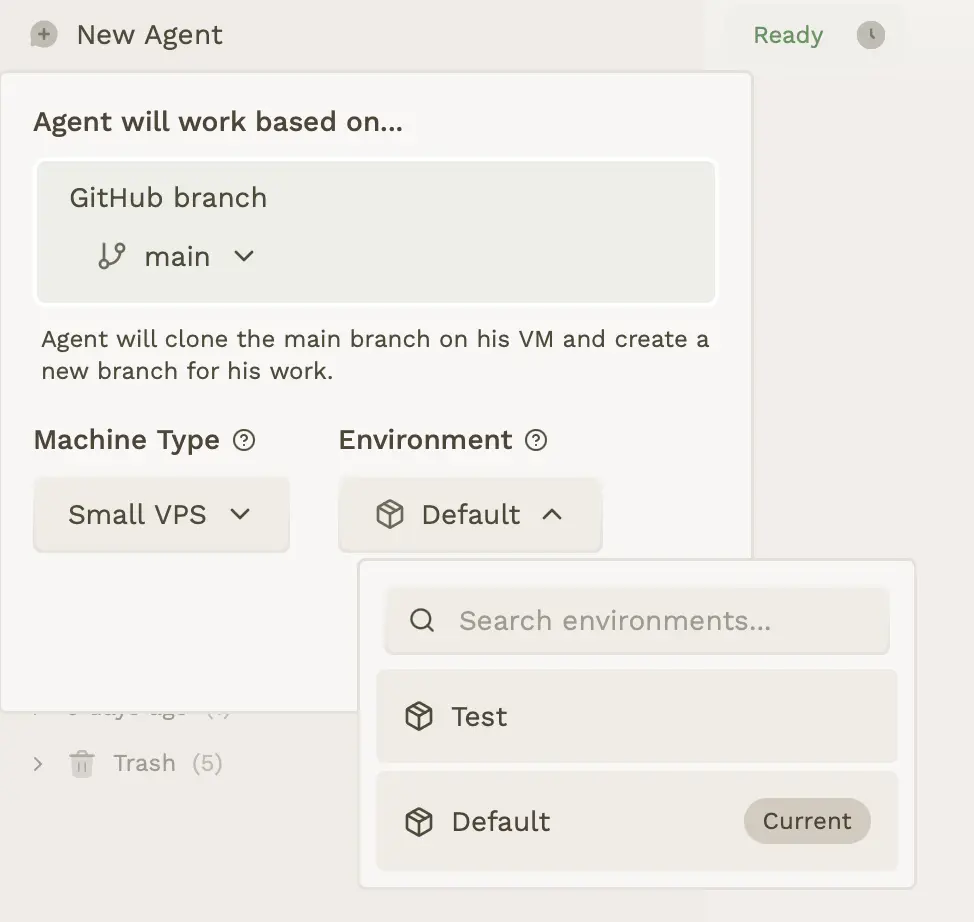
Define environment variables and configuration/secret files that will be given to the agent to run your app correctly. You can set up a database connection, or provide data for your test OAuth client ID. Choose the environment you want every time you launch a new agent.
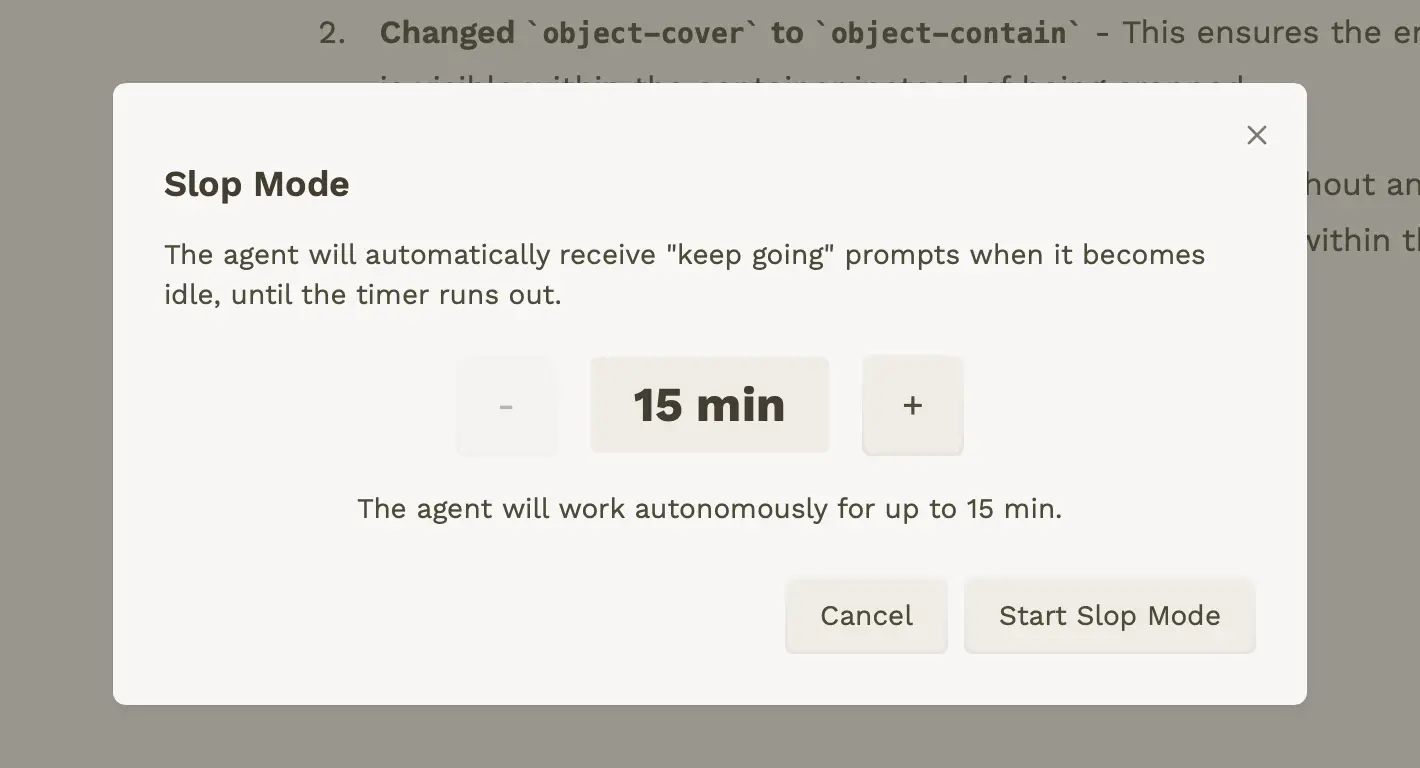
Force Claude Code to work for several hours on your prompt with a follow-up agent that constantly pushes it to improve its work. When the agent stops working, we automatically send a hard-coded prompt that keeps it going—not in a stupid way.
Added multiline code block support (``` syntax) to the specification editor.
We added a changelog page to keep you informed about updates and changes to Ariana.
Launching Ariana: the most productive way to use Claude Code as AI augmented 10x engineers. Ship more features and fixes at the same time using agents that work from their own computer in the cloud, manage their own branch, commit by themselves and document their changes. Each agent gets its own Debian VPS with a dedicated IPv4, the ability to open ports, connect via SSH, install secrets, and run Docker—all on European cloud with Hetzner.